◐
Projects that sleep
Every open project is a small record until you switch to it. File tree, git state and editor views exist only for the project on screen.
Run Claude Code, Codex and OpenCode side by side across all your projects in one native app that starts at 17 MB, not 1 GB.
Free · Apple silicon · macOS 14 or later
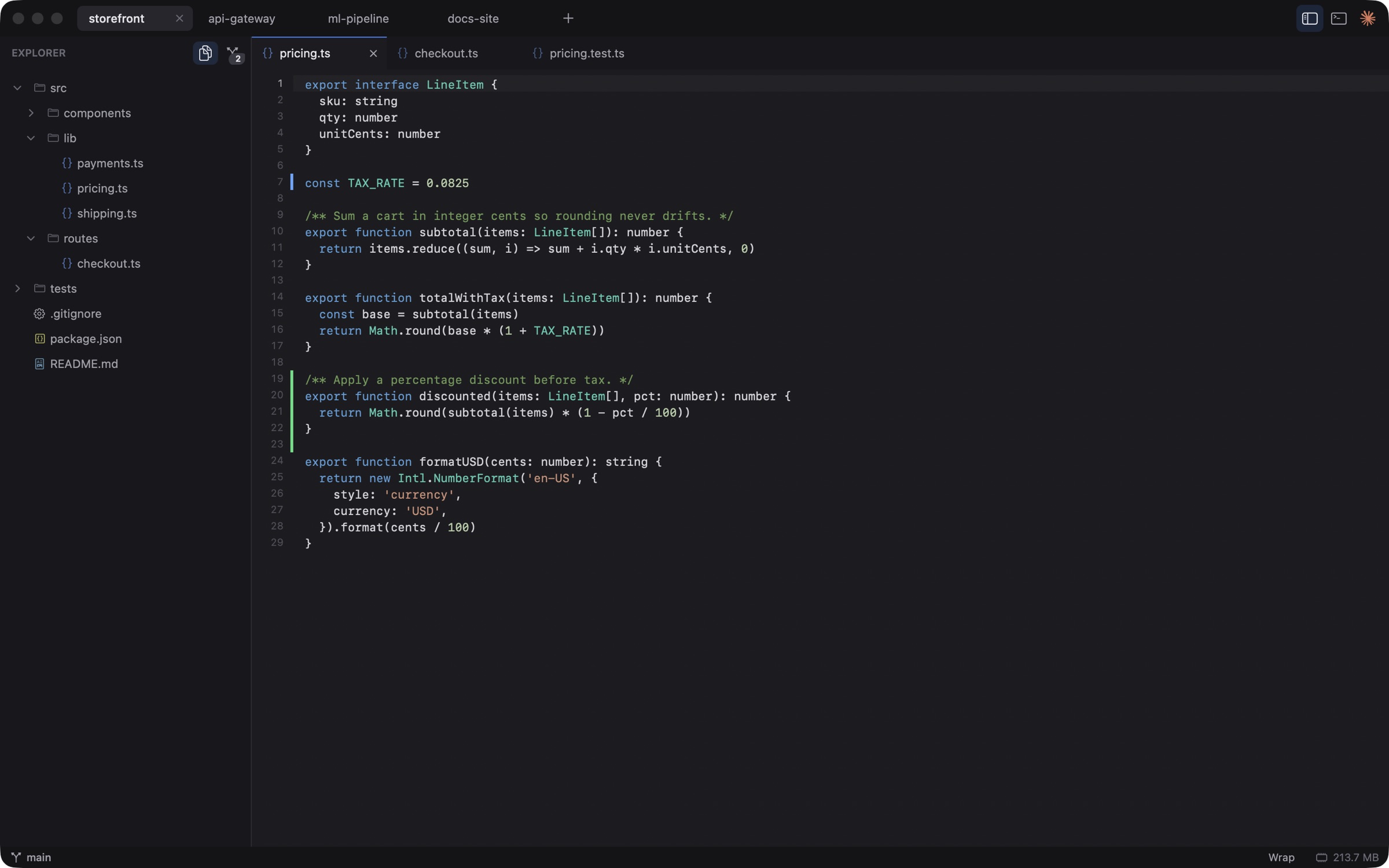
Works with the agents you already use
Open any folder, as many as you like. Each one becomes a tab. Inactive projects cost under 1 MB.
Pick Claude, Codex or OpenCode for a project. The real terminal UI opens in a tab next to your files.
Jump between repos with ⌘1 … ⌘9. Badges show which agent finished or needs you. Review changes in the gutter.
Most of your RAM should go to your agents and your builds, not your editor. Measured on a 16 GB MacBook with the release build.
No Electron. No Chromium. One native process.
Ten projects open cost about 29 MB in total.
Switch between repos with ⌘1 … ⌘9.
Checked with leaks after every benchmark run.
One run, release build, 16 GB MacBook. Agent CLIs such as claude are separate processes (roughly 200 to 450 MB each) and are not counted above. Full method in the repo's benchmarks doc.
A focused set of tools for working with agents across many repos.
Every open project is a small record until you switch to it. File tree, git state and editor views exist only for the project on screen.
Claude Code, Codex and OpenCode run as their real terminal UIs in tabs. No wrapper chat. You get every feature they ship.
Idle agents in background projects can suspend and resume later, so a stack of sessions does not eat your RAM.
Changed-line markers in the gutter, a source control panel and branch status. Updates follow your agents as they edit files.
Syntax highlighting, line numbers, find, wrap and quick file switching. Files reload when an agent changes them.
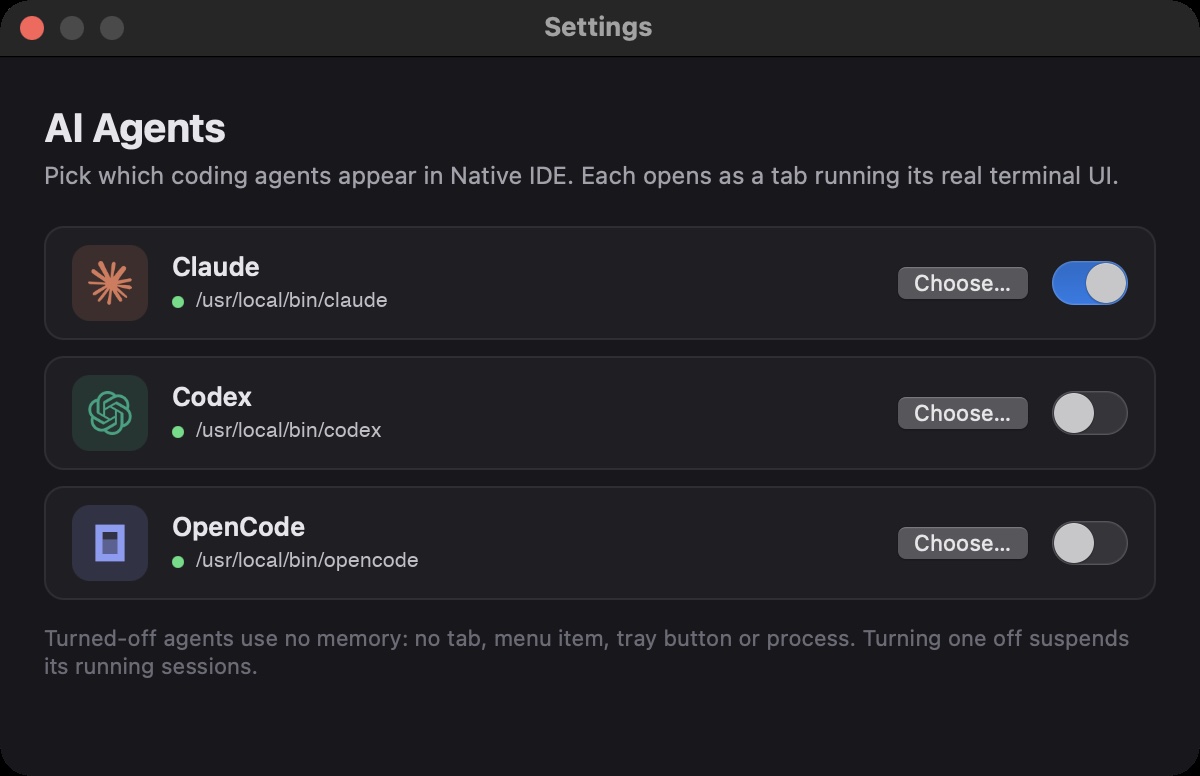
Enable only the agents you use in Settings. A disabled agent adds no tab, no menu item and no memory.
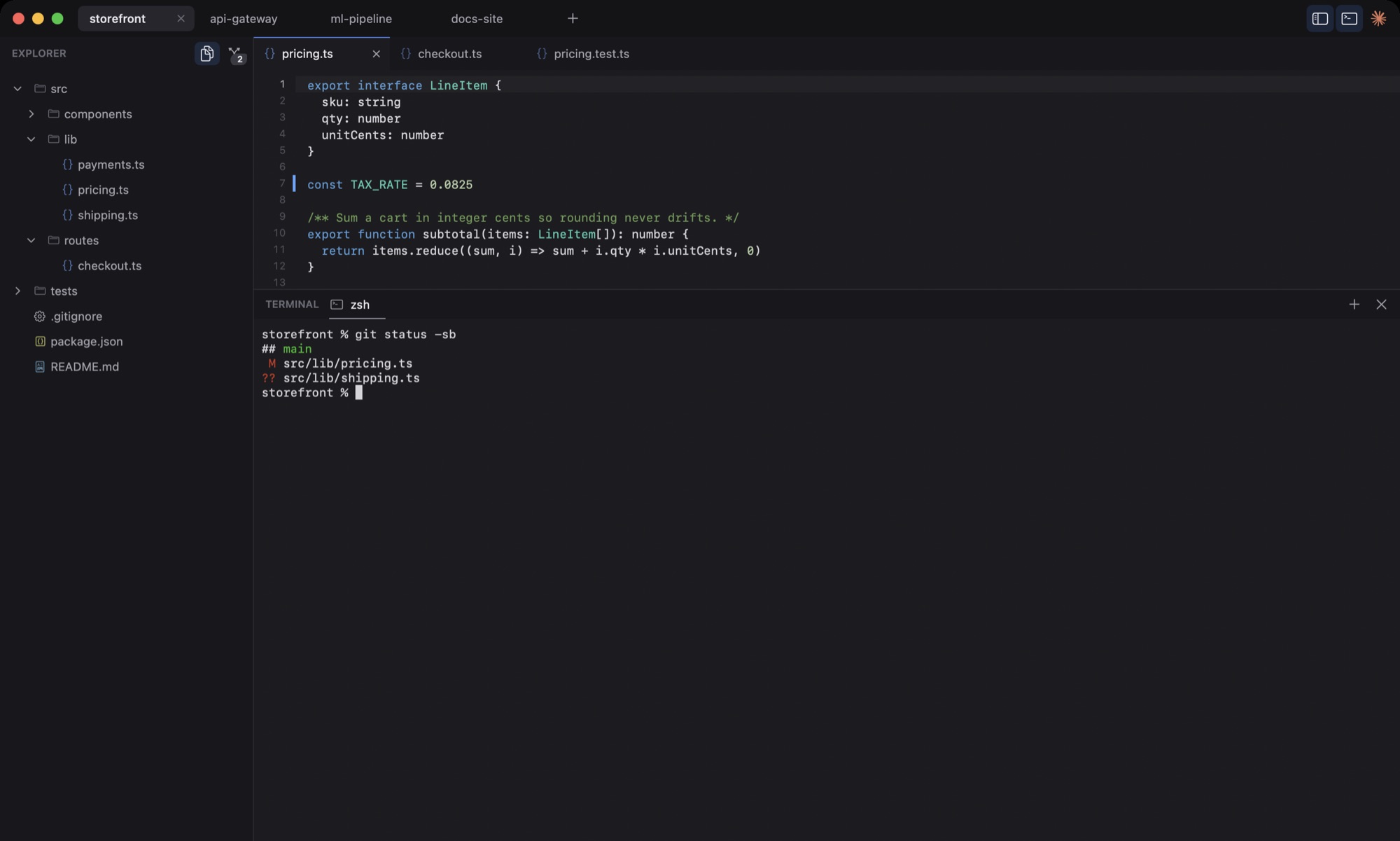
Open a Claude, Codex or OpenCode session per project. Each runs as its real terminal UI in a tab, next to your files. Close the app and pick up the same session later.
Resumes by session id
Resumes your last session
Continues where you stopped
A real shell under every project, and one switch per agent.
Every project moves through four states. Only the one on screen is fully built.
Only a small record: path, open files, layout. No views, no git, no processes.
File tree, git status and editor are built when you switch in, in about 16 ms.
Terminals keep running while you work elsewhere. Their views are detached and cost no drawing.
An idle agent can stop and come back with its session, so old work does not hold your RAM.
Keep a frontend, an API and a docs site open and hop between them without waiting.
Start a task, switch away and get a badge when the agent finishes or asks for input.
Leave RAM for builds, simulators and browsers instead of a heavy editor.
Run Claude, Codex and OpenCode on the same project and compare their diffs.
Everything you do all day is one shortcut away.

Free for macOS. Open it, add a project folder and start an agent.
First launch: right-click the app and choose Open. Builds are not notarized yet.
The app itself uses about 17 MB when it starts and under 1 MB for each inactive project. Agent CLIs such as claude run as separate processes, and their memory is not part of that number.
Claude Code, Codex and OpenCode. Claude is on by default. Turn Codex and OpenCode on in Settings (⌘,) when you want them.
No. Native IDE launches the CLIs you already installed and signed in to. It never sees or stores your keys.
Native IDE has no analytics, telemetry or network code of its own. Your code stays on your Mac. Each agent CLI talks to its own provider, the same as in any terminal.
Native IDE saves your projects, open files and layout. Claude sessions resume by session id when you start the agent again. Nothing starts on its own at launch.
Native IDE is a native macOS app for Apple silicon Macs. It is built with Swift and AppKit.
Builds are ad-hoc signed for now and not notarized. Right-click the app and choose Open the first time.